
Ana is a Lisbon-based freelancer with a client in São Paulo. The client's office only publishes a landline number — no WhatsApp, no Telegram. She stares at her smartphone and does the math: her carrier charges $1.49 per minute to Brazil. That's not sustainable.
Here's a truth most tech blogs ignore: landlines aren't dead. They're the backbone of hospitals, government hotlines, hotel desks, and the corded phone your grandmother still answers. But calling them from a smartphone is expensive and calling them via apps means yet another download. Dialable.world changes that. It lets you call landline from browser — no software, no apps, just a tab and a microphone. Welcome to browser-based calling, the Skype alternative for landline calls that remote workers and digital nomads are switching to.
Key Takeaways
- Landlines remain critical infrastructure in healthcare, government, hospitality, and personal communication — they haven't gone anywhere.
- You can call landline from browser using WebRTC technology — no apps, no downloads, no registration hoops.
- Dialable.world offers cheap international calls to landlines as a lightweight, no-download Skype alternative for landline calls.
- Browser-based calling eliminates the three biggest VoIP pain points: installation, updates, and device storage.
- A global call is now as simple as opening a browser tab — you literally dial world from anywhere with an internet connection.
Why Can't We Just Let Landlines Die Already?
Put simply, landlines are infrastructure — not fashion. PSTN (Public Switched Telephone Network) is the physical and digital backbone that connects fixed-line phones worldwide. It predates the internet and is embedded in hospitals, government offices, emergency dispatch centres, hotels, universities, and countless businesses that still route calls through reception desks. For all the hype about smartphones and messaging apps, millions of critical services still publish a landline number as their primary — and often only — contact.
If you're a freelancer chasing a late payment from a client whose accounts department only takes phone calls, or an expat booking a doctor's appointment in your home country, or someone whose elderly parent simply won't adopt WhatsApp — you're dialling a landline. There's no app for that. There's no workaround. You call the number, or you don't connect.
VoIP (Voice over Internet Protocol) made calling cheaper, but traditional VoIP tools — Skype, Google Voice, and even desktop SIP softphones — come with baggage: installations, account setups, software updates, and sometimes flaky calling quality on unreliable Wi-Fi. Browser-based calling sidesteps all of this by running entirely inside your web browser using WebRTC (Web Real-Time Communication) , an open-source protocol built into every modern browser that enables real-time audio communication without plugins or software installations. No download. No update. No clutter.
How to Call Landline From Browser Without Installing Anything?
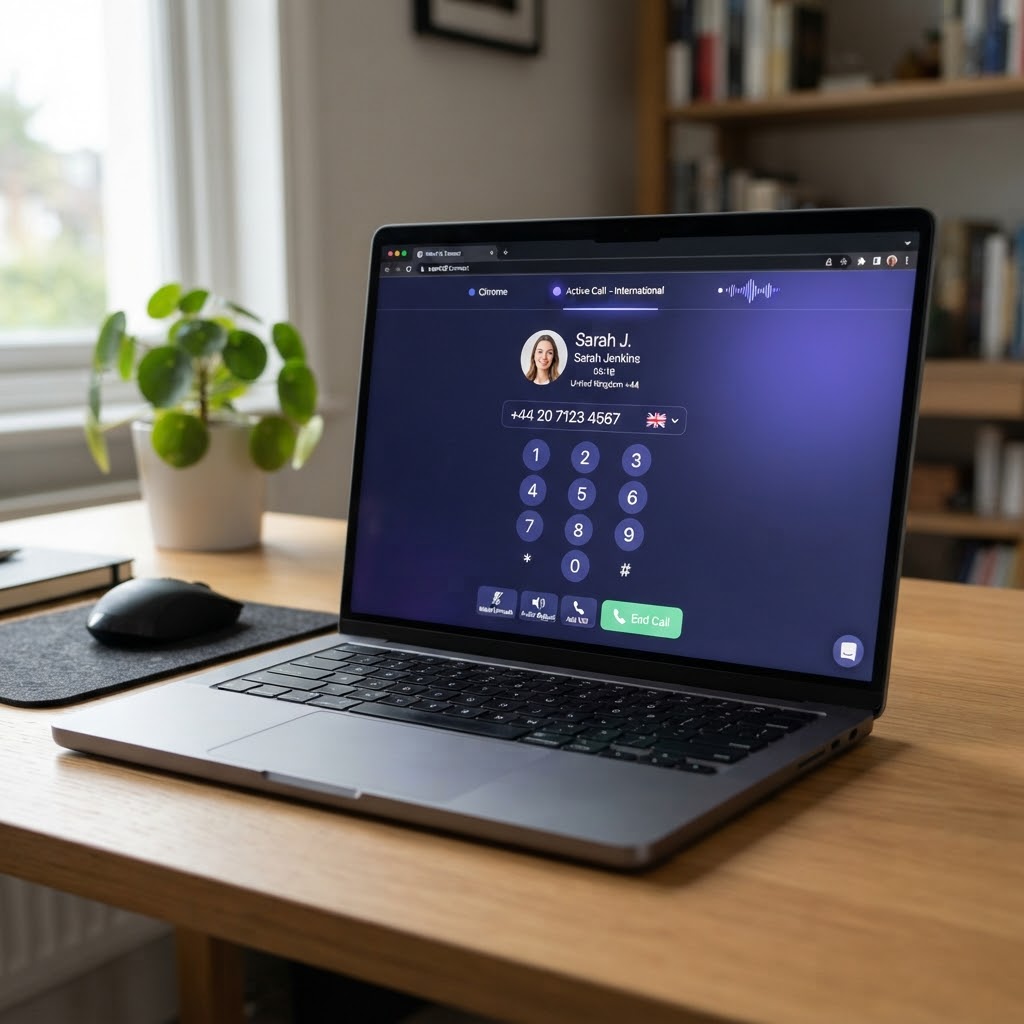
You open a browser tab, type in a URL, and dial the number — the same way you'd type a search query. That's the core insight behind Dialable.world: if your laptop can play a YouTube video, it can place a landline call to any number on the planet.
Here's how it works in three steps:
- Navigate to dialable.world in any modern browser (Chrome, Firefox, Edge, Safari — anything with WebRTC support).
- Select the country code for your destination, enter the landline or mobile number, and click dial. Behind the scenes, Dialable establishes a peer-to-peer audio connection via WebRTC and bridges it to the PSTN — turning your browser into a functioning phone.
- Talk. That's it. The audio is crisp, latency (the delay between when you speak and when the other side hears it) is typically under 300 milliseconds — comparable to a standard mobile call. The codec (the software that encodes your voice into digital packets) is optimised for narrowband and wideband audio, prioritising speech clarity over raw bandwidth.
No app store. No installer wizard. No "update available" notification. When the call ends, you close the tab and your device is exactly as clean as it was before. This is what makes call landline online workflows viable for professionals who can't afford the friction of traditional setups. The service pays as it goes — you only pay for the minutes you use, making it one of the most accessible cheap international calls to landlines options available today.
What Makes Browser-Based Landline Calls Cheaper Than Traditional VoIP Apps?
Traditional VoIP apps carry hidden costs that most users overlook. Skype charges subscription fees for unlimited calling plans, Google Voice limits free calling to US and Canada, and WhatsApp and Zoom don't connect to physical landlines at all — they're app-to-app services that require both parties to have the same software installed. If you need to reach a landline, you're either paying premium per-minute rates or you're out of luck entirely.
Browser-based calling flips the cost model by cutting out the middle layers. When you call from browser via Dialable.world, the platform bridges your WebRTC audio stream directly to the PSTN through carrier-grade interconnection. There's no desktop app to maintain, no subscription infrastructure to subsidise, and no bloated feature set you're forced to pay for. The result: transparent per-minute rates that reflect the actual cost of terminating a call on the destination network — not the cost of keeping a legacy software company afloat.
For context, here's what typical international landline calling looks like across different methods:
- Traditional carrier: $1.00–$3.00/min to many international landlines — just dialling from your phone plan.
- Skype credits: $0.10–$0.35/min depending on destination, plus the overhead of keeping the app installed and updated.
- Calling cards: declining availability, often with hidden connection fees and expiration dates.
- Dialable.world (browser-based): pay-as-you-go at globally competitive rates starting in the single-digit cents per minute range, accessed from any browser without an account in under 10 seconds.
Browsers are already on every device you own. Using them as your phone client means zero marginal cost for setup, storage, or updates — overhead that quietly piles up across traditional VoIP and SIP (Session Initiation Protocol) apps.
Can You Call Landline From Browser As a Skype Replacement?
Yes — and thousands of former Skype users already have. Skype's decline has been well-documented: the interface has become increasingly cluttered, the Windows 11-era app pushes integrations most users don't need, and Microsoft's shift toward Teams has left Skype's standalone consumer offering in limbo. For users whose primary need was always "call a landline internationally without paying carrier rates," the question isn't whether to leave Skype — it's where to go.
A Skype alternative for landline calls needs to do exactly three things well: connect to real phone numbers (not just app users), offer competitive international rates, and stay out of your way. Dialable meets all three by design. Because it's browser-based, there's no version lock-in, no forced migrations, and no feature creep. The product doesn't need to sell you collaboration tools, video chat, file sharing, or calendar integration — it just places crystal-clear audio calls to any landline or mobile number in the world.
For teams and individuals who need a reliable way to call landline online, the shift from a downloadable VoIP client to a browser tab represents a genuine workflow improvement. You're not just switching providers — you're eliminating an entire category of digital friction from your day. Every call Dialable places is AUDIO ONLY — there's no video component, no screen sharing, no virtual background settings to manage. It's a phone call, the way phone calls have always worked, just delivered through a browser.
Frequently Asked Questions
Is browser-based calling secure?
Yes. WebRTC connections are encrypted by default using DTLS (Datagram Transport Layer Security) and SRTP (Secure Real-Time Protocol) — the same cryptographic standards that protect HTTPS web traffic. Dialable.world applies audio-only calling over these encrypted channels, and since there's no software installed, there's no persistent background process collecting data on your device.
Do I need a special microphone or headset?
No. Any laptop with a built-in microphone and speakers works out of the box. For the best call quality in noisy environments, a basic USB headset or earbuds with a microphone will improve clarity, but it's not required. Dialable auto-detects your default audio input and output devices through the browser's WebRTC API.
Can I call both landlines and mobile numbers?
Yes. Dialable connects to both landline (PSTN) numbers and mobile phone numbers worldwide. The same browser interface handles both, and rates are displayed transparently before you dial. Whether you're reaching a hospital's landline reception desk or a client's mobile phone in a different country, the experience is identical.
What if my internet connection is slow?
Dialable's WebRTC stack is optimised for real-world network conditions — including hotel Wi-Fi, coffee-shop connections, and mobile hotspots. The audio codec adapts dynamically to available bandwidth, and call quality remains usable on connections as low as 100 kbps. While a stable broadband connection delivers the best experience, the platform is designed for the connectivity reality most remote workers and travellers actually face.
The Smartest Way to Dial the World From Your Browser
We've spent two decades downloading and updating communication apps, only to find that most of them can't even reach the one number we actually need to call. Landlines are everywhere — they're not going anywhere — and the friction of reaching them shouldn't define your workday or your personal connections.
Dialable.world, built by AEGONTECH LLC, strips calling down to its essentials: a browser, a microphone, and a destination number. No installations. No subscriptions. No feature sprawl. Just the ability to call landline from browser whenever you need it — whether that's closing a deal with a client in Tokyo, checking on a parent in Mumbai, or confirming a hotel reservation in Barcelona. Every time you open that tab, you're using the modern way to make cheap international calls to landlines — a platform designed for a generation that lives, works, and connects across borders.
Start your first global call today. Open your browser, go to dialable.world, and dial world the way it should always have been: fast, simple, and straight from your browser. To learn more about the team behind the technology, visit AEGONTECH LLC.